 Animations·
Count Up Animation: HTML and JS Number Counter
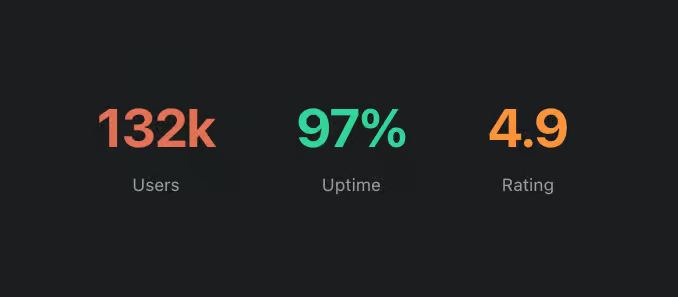
Make numbers count up when they scroll into view with a few lines of JavaScript, or with one HTML attribute. Prefix, decimals, duration and replay. Sliders carousels·
HTML Carousel Slider: Code and No-Code Way
Build an HTML carousel slider with CSS scroll-snap and a few lines of JavaScript, or add a full-featured one with HTML attributes. Touch and keyboard.- Sliders carousels·
Elementor Carousel - Add a Slider Without Extra Plugins
Add a touch-enabled carousel slider to Elementor without extra plugins. Works with Free and Pro. HTML widget or custom attributes. Step-by-step guide. - Sliders carousels·
Framer Carousel - Add a Slider With an Embed Component
Add a touch-enabled carousel slider to Framer with an Embed component. Autoplay, navigation, 6 effects. No code components needed. Step-by-step guide. - Sliders carousels·
Shopify Carousel - Add a Product Slider to Your Store
Add a touch-enabled carousel to your Shopify store for products, testimonials and hero banners. One script in theme.liquid and a Custom Liquid section. - Sliders carousels·
Squarespace Carousel - How to Add a Custom Slider
Add a touch-enabled carousel slider to Squarespace with Code Injection and a Code Block. 6 effects, autoplay, navigation. Works on Core plan and above. - Sliders carousels·
Webflow Carousel - Add a Slider With Custom Attributes
Add a touch-enabled carousel slider to Webflow using custom attributes. No JavaScript, no embed hacks. Navigation, autoplay, 6 effects. Step-by-step. - Sliders carousels·
WordPress Carousel - How to Add One Without a Plugin
Add a touch-enabled carousel to WordPress without installing heavy slider plugins. One script tag, HTML attributes, and you are done. Step-by-step guide.  Animations·
Lottie Animation - How to Add One to Any Website
Add Lottie animations to any website without JavaScript: drop in a JSON URL and control playback with HTML attributes. Works on Webflow and WordPress.- Animations·
Lottie Animation in Elementor - Free and Pro Methods
Add Lottie animations in Elementor without Pro. Use the HTML widget with OneType Transforms for scroll, hover, and click triggers on any Elementor page. - Animations·
Lottie Animation in WordPress - How to Add One Without a Plugin
Add Lottie animations to WordPress without heavy plugins. One script tag, one HTML attribute - works with Gutenberg, Classic Editor, and any theme. 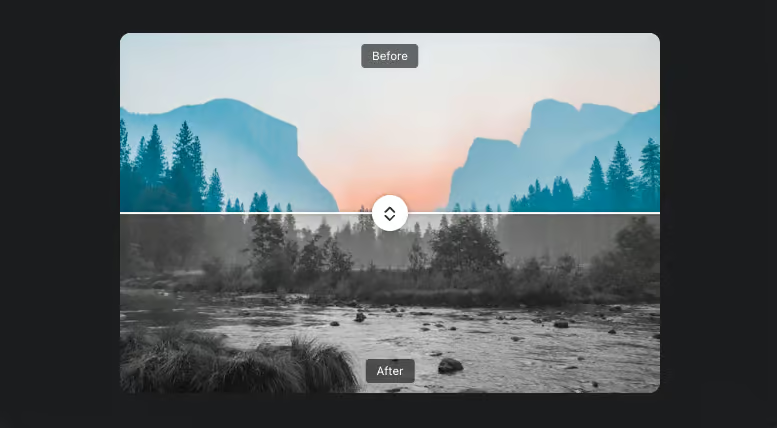 Sliders carousels
Before After Slider: HTML, CSS and JS Code
Build a before after image slider with plain HTML, CSS and a few lines of JavaScript, or add one with a single attribute. Works on every platform.- Sliders carousels
Before-After Slider for Framer - Step by Step
Add a before-after image comparison slider to your Framer site. Use Custom Code and an Embed component. Requires Basic plan or higher. - Sliders carousels
Before-After Slider for Shopify - Step by Step
Add a before-after image comparison slider to your Shopify store. One edit to theme.liquid, then use Custom Liquid sections. Works on Basic plan and up. - Sliders carousels
Before-After Slider for Squarespace - Step by Step
Add a before-after image comparison slider to Squarespace. Uses Code Injection and Code Blocks. Requires Core plan or higher. - Sliders carousels
Before-After Slider for Webflow - Step by Step
Add a before-after image comparison slider to your Webflow site. Step-by-step guide with custom attributes. Requires Basic plan or higher. - Sliders carousels
Before-After Slider for WordPress - No Plugin Needed
Add a before-after image comparison slider to WordPress without a heavy plugin. One script tag, one HTML block. Works with Gutenberg and Classic Editor.  Website builders
Best Website Builders for SEO: What Actually Matters
What to look for in a website builder for SEO: titles, meta tags, sitemap, speed, mobile, content. A checklist, and how Divhunt Studio does each part. Cms hosting tools
Headless vs. Hybrid CMS: Which Is Right for You?
Headless CMS stores content and delivers it by API; hybrid CMS adds editing tools on top. See the benefits of each and how to choose for your project. Website builders
How to Create a Business Website, Step by Step
Create a business website in 10 steps: message, competitors, legal, texts, domain, builder, template, SEO, launch. Or let AI build a first version. Website builders
How to Make a Website From Scratch in 10 Steps
How to make a website from scratch: goal, domain, builder, structure, pages, content, SEO and launch, in 10 steps. Or describe it and let AI build it. Animations
Typewriter Effect - How to Add One to Any Website
Add a typewriter text effect to any website with one HTML attribute. No JavaScript to write, works on Webflow, WordPress, Shopify, and any platform. Free.- Animations
CSS Typewriter Effect: Code, Limits and a Simpler Option
Copy a working CSS typewriter effect with a blinking cursor, see what pure CSS cannot do, and when one HTML attribute is simpler. Includes reduced motion. - Website builders
Website Builder vs Coding: How to Choose
Website builder or custom code? Compare cost, time to launch and flexibility, when each wins, and a third way: describe the site and let AI build it.