CSS Typewriter Effect: Code, Limits and a Simpler Option
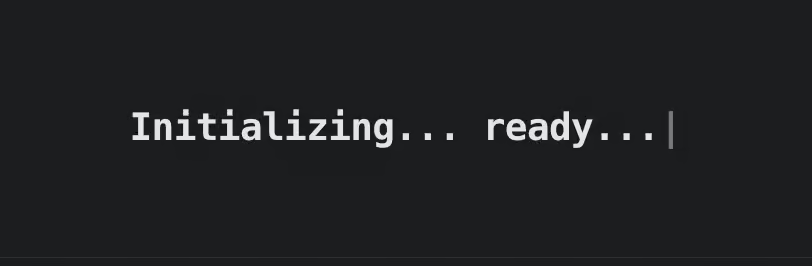
A CSS typewriter effect needs one keyframe animation that grows the width of a one-line text in steps, plus a blinking right border as the cursor. No JavaScript is required. Here is a version that works, what it cannot do, and a simpler option when you need more than one fixed line.
How does a CSS typewriter effect work?
Two animations run together. typing reveals the text by animating width with steps(), so it jumps one character at a time instead of sliding. blink toggles the colour of the right border, which acts as the cursor. The width is set in ch units (the width of one character in a monospace font), so the number in steps() must equal the number of characters.
<p class="typewriter">This text types itself out.</p>
.typewriter {
  font-family: monospace;
  width: 27ch;              /* 27 characters */
  white-space: nowrap;
  overflow: hidden;
  border-right: 2px solid;
  animation:
    typing 2s steps(27) forwards,
    blink 0.7s step-end infinite;
}

@keyframes typing {
  from { width: 0; }
}

@keyframes blink {
  50% { border-color: transparent; }
}

@media (prefers-reduced-motion: reduce) {
  .typewriter { animation: none; }
}
The last block respects visitors who ask their system for less motion: the text simply shows, with no typing and no blinking.
Can a CSS typewriter type and delete?
Yes, for one string. Change the typing animation to animation: typing 3s steps(27) infinite alternate, blink 0.7s step-end infinite;. With alternate, every second run plays backwards, so the text types out and then deletes itself in a loop. What CSS cannot do is switch to a different string afterwards.
What are the limitations of CSS-only typewriter effects?
The CSS approach works for demos and simple cases, but it breaks down fast:
- One string only. You cannot cycle through several strings.
- Monospace font. The
chtrick only works when every character has the same width. - Hardcoded character count. Change the text and you have to update
widthandsteps(). - One line only.
white-space: nowrapmeans no wrapping on small screens. - No smart backspace. It cannot keep a shared prefix and retype only the part that changes.
- No inline pauses and no triggers. It plays on load; no start on scroll, hover or click.
If all you need is one line of monospace text that types once, CSS is the right tool. For rotating taglines, hero text or dynamic content you need JavaScript, or a ready-made component.
How to add a typewriter effect without writing CSS or JavaScript
OneType Transforms handles the typewriter effect through HTML attributes. No CSS keyframes, no JavaScript, no character counting. Add the script tag to your site:
<script src="https://cdn.transforms.onetype.ai/script/57095981335841558d328d599e6f5322.js"></script>
Then add the typewriter HTML:
<p>I love <span ot="typewriter"><span>building websites</span><span>writing code</span><span>designing interfaces</span></span></p>
This gives you everything CSS cannot - multiple strings, delete animation, smart backspace, cursor customization, looping, and shuffle. Works with any font, not just monospace. And the character count does not matter - it figures that out automatically.
CSS typewriter vs OneType Transforms
- Multiple strings - CSS: no. OneType: yes, unlimited.
- Delete and retype - CSS: no. OneType: yes, with smart backspace.
- Any font - CSS: monospace only. OneType: any font.
- Cursor customization - CSS: border hack. OneType: any character, show/hide.
- Loop - CSS: requires animation-iteration-count workaround. OneType: ot-loop attribute.
- Inline pauses - CSS: not possible. OneType: ^1000 syntax.
- Setup time - CSS: write and debug keyframes + steps. OneType: paste HTML, done.
For the full list of customization options - speed, cursor character, back delay, shuffle, and more - see the complete typewriter effect guide.
Is the typewriter effect free?
Yes. The typewriter transform is free on OneType Transforms. No account, no token, no limits. Grab the script tag from transforms.onetype.ai/get-started and start using it.
Building the whole website, not one effect?
Describe your business in one sentence and Divhunt Studio builds the site for you. You can start from one of the website templates and change anything by chatting. Building is free; you pay when you publish.
FAQ
How do I make a typewriter effect with a different font?
With CSS only, you cannot do it reliably: the ch unit assumes equal-width characters. Use a monospace font, or use a component that measures the text for you.
Why is my CSS typewriter showing the whole text at once?
Usually steps() and the width do not match the character count, or overflow: hidden and white-space: nowrap are missing on the element.
How do I loop a CSS typewriter effect?
Add infinite to the typing animation, or infinite alternate to also delete the text.
See also the typewriter effect guide for the full list of options.